View deployment history
When you deploy a data product, the Data Product Studio creates Snowflake objects from the published blueprint: dimensional views, storage tables, and the relationships between them. Deployment history is the record of those runs, kept on the Deployment Logs screen. You check it to confirm a deployment succeeded and to review earlier deployments.
Open the Deployment Logs screen
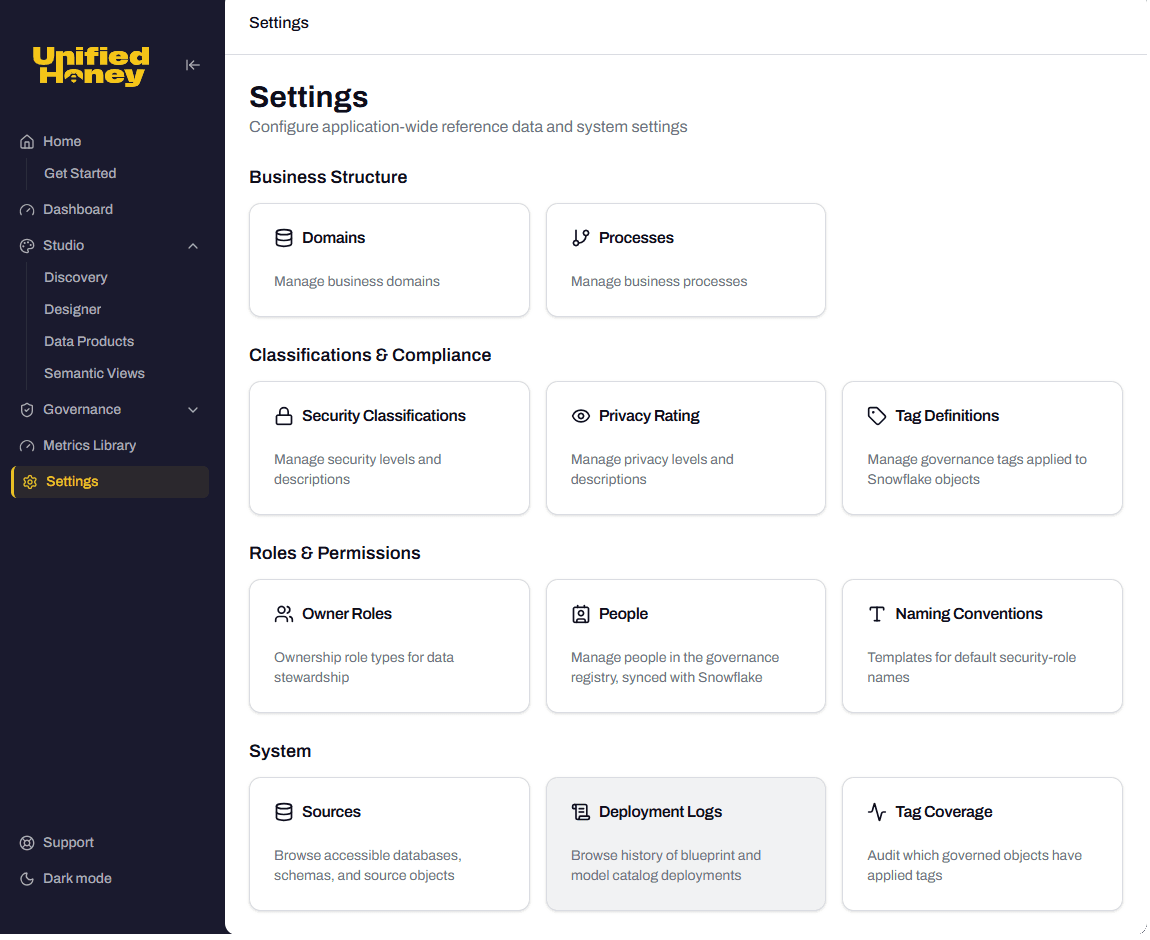
Open Settings, then select Deployment Logs under System. The card opens the history of blueprint and model catalog deployments.
What a deployment record shows
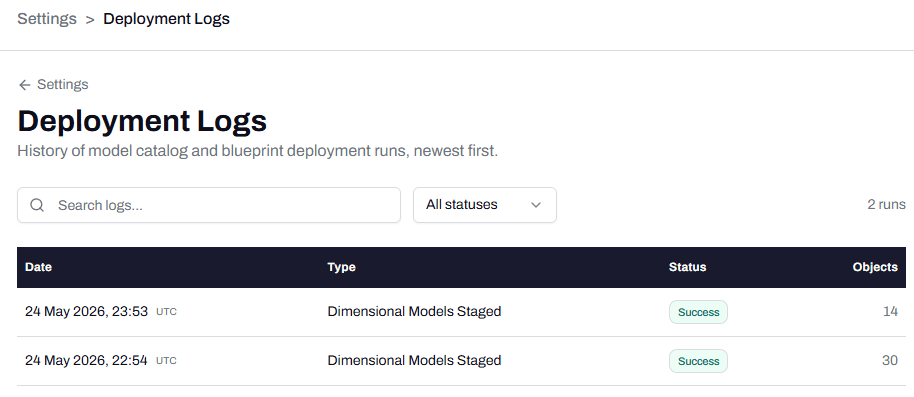
The Deployment Logs screen lists every run, newest first. Each row covers:
- Date: when the deployment ran.
- Type: what was deployed, for example Dimensional Models Staged.
- Status: the outcome, for example Success.
- Objects: how many Snowflake objects the run created or updated.
Deployment history is the summary, one row per run. To follow the individual events inside a single run, see Read the deployment events timeline.
Note: Reviewing deployment history is a Snowflake admin task.
See also
- Prerequisite: Deploy a data product to Snowflake
- Sibling: Read the deployment events timeline
- Reference: Deployment history in the Glossary