Choose a domain and process
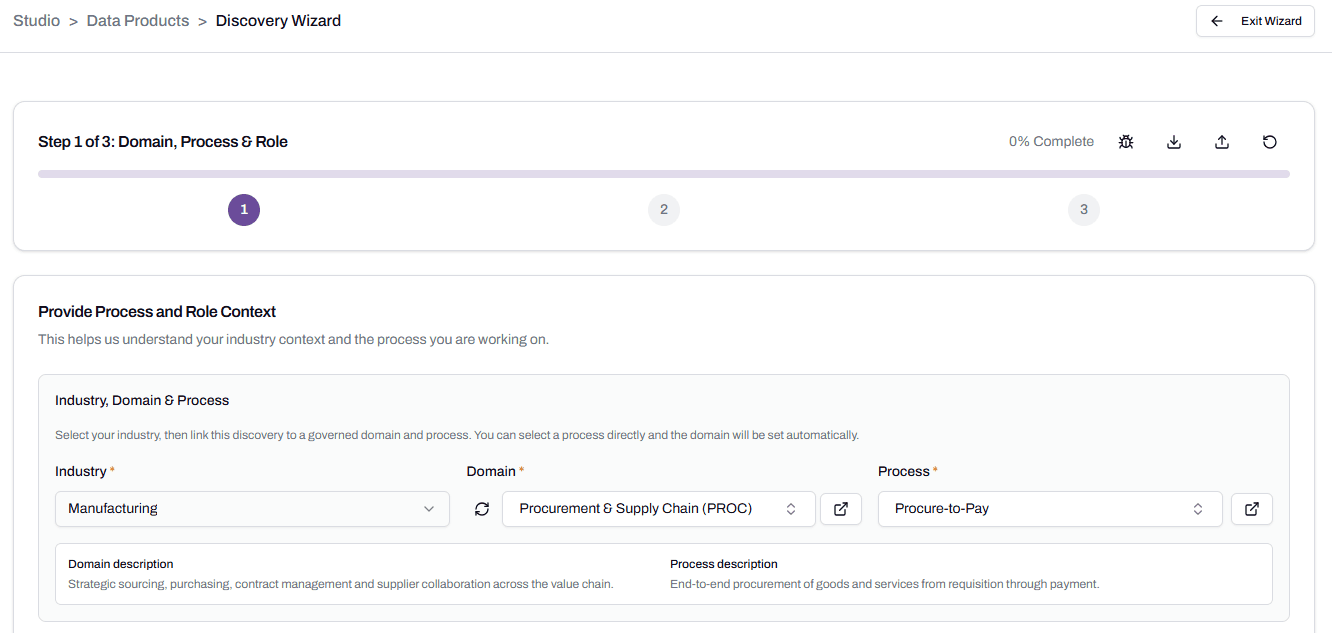
The first input the platform asks for is where you are in the business and what process you’re working on. Four fields work together to set this up: Industry, Domain, Process, and Functional Area. This article explains what each one does and how to pick them well.
Applies to: Domain expert
The four fields
Industry is the broader sector your business operates in: Manufacturing, Mining, Healthcare, Banking, and so on. It’s a fixed list, picked once for the run. Industry doesn’t appear in Settings; it’s a hint to Cortex about the language and assumptions to use.
Domain is the business area you’re working in. Procurement and Supply Chain. Finance and Controlling. Human Resources and People. Domains live in Settings and can be added or edited there. Each domain has a short code (PROC, FIN, HR) and a description.
Process is the specific business workflow within a domain. Procure-to-Pay sits inside Procurement and Supply Chain. Workforce Administration sits inside HR. Processes also live in Settings, with their own code, name, and description, and they’re tied to a parent domain.
Functional Area is who you are when you’re working with the data. The same process can be approached from different angles. Operations using procurement data wants different entities than Compliance auditing procurement spend. Functional Area lets you tell the platform which angle you’re working from.
How they interact
The fields work in sequence. Pick Industry first. Pick Domain second. Once you’ve picked a Domain, the Process dropdown filters to processes that belong to that domain. Pick Process third.
Functional Area is independent. It doesn’t filter or get filtered. You set it to match your team’s role, regardless of which domain or process you’ve picked.
What makes a good process choice
Process granularity matters more than people expect. Too broad and the platform tries to model everything at once and produces generic output. Too narrow and you get a fragment that’s hard to connect to anything else.
Procure-to-Pay is the right size: a recognisable end-to-end business process with clear inputs, outputs, and intermediate states. Procurement is too broad, because it includes sourcing, contracting, ordering, receipting, and payment as separate concerns. Approving a single PO line is too narrow, because the entities it touches don’t make sense without the surrounding flow.
If the process you want isn’t in the list, two things can be true. The first is that the process exists under a different name. Look at the descriptions next to each process to check. The second is that the process genuinely isn’t there, in which case you can add it. See Add a custom process within a domain.
When the platform’s defaults aren’t enough
The platform ships with a set of built-in domains and processes covering common business areas. They’re a starting point, not a constraint.
Add a new domain when you’re working in a business area the platform doesn’t ship with. See Add a custom domain on the Configuration page.
Add a new process within an existing domain when the domain is right but the specific workflow isn’t covered. See Add a custom process within a domain.
In both cases, the new entry behaves the same as a built-in one. The platform has less Cortex grounding behind a custom entry, so providing strong context matters more for runs that use one.